
Showcase
On this page is a showcase of all the most important creations that I have made during my Master of Arts in Education Technology program through Michigan State University.
Throughout my time in this program, I have designed many different resources that explore how to best use unique technology in the class. This collection is split into two categories: lesson plans and informational tools.
The first section, lesson plans, is made up of the largest projects that I have completed in this program. They are a synthesis of all the most important aspects that I have been learning in this program. They combine a new piece of technology, my class content, and ideas like accessibility and privacy to create a new, well thought out lesson for my classroom.
The second category is informational tools. This section focuses on individual, specific aspects that combined will lead to a great educator. These resources will incorporate different forms of technology, while examining new ideas that I can bring into my class.
Scroll down to see my creations!
Lesson Plans
5 Themes of Geography

For this lesson plan, I used the TPACK framework (Technological Pedagogical Content Knowledge) to create a lesson that I could use in my own classroom. While designing this, I focused on those three categories. For my content, I chose the 5 Themes of Geography. I teach 6th grade geography, and this is one of the topics we cover early on in the year. For my technology, I chose Padlet. This tool allows students to work together on a virtual board to create a graphic representation of what they are learning. The pedagogy I chose to focus on was small groups. In this assignment, my students will need to work together to create their Padlet board. With this assignment, I demonstrate my ability to successfully incorporate the TPACK framework into my lesson planning. On the left is my formal lesson plan.
Down below are the supplemental materials for this lesson: the article and the directions/rubric.


Culture & Landmarks
This is my Innovative Technology Lesson. For this lesson, I had to select a new piece of technology that I hadn’t used before and design an activity around it. I chose to use a 3D pen as my tool. As I designed my lesson, I edited it through the lens of the Universal Design for Learning (UDL) and Intersectionality. With these topics, I focused my lesson on engagement and action, as well as considering different perspectives of students in my classroom. During the creation of this lesson, I also learned about constructive feedback and how it can help make our creations better. If you are curious about my process of creating this lesson and using feedback to my changes, I have a more in-depth blog post on this. With this lesson, I applied my new skills in technology integration, inclusive lesson design, and my ability to apply UDL principles in my lessons. On the right is my formal lesson plan.

Down below are the supplemental materials for this lesson: the directions/rubric, research sheet/checklist, and the mini-poster sheet.


Global Issues

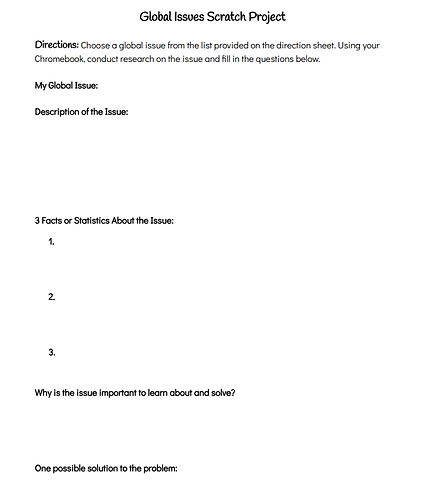
This lesson was one of my favorites. For this course, I had to learn how to code for the first time. Coding is a tough skill to master, but I really enjoyed the challenge. In this class I explored Scratch, which is a website that teaches coding through code blocks. The lesson that I needed to design had to have some coding aspects to it. In the activity, students have to use what they have learned about coding to create an interactive infographic about geography. The lesson starts with a slideshow which goes through important information about Scratch. Then students must conduct research on a global issue that they choose. Finally, they combine these two parts to create their infographic. This lesson shows my new ability of how to code and how we can use it in education. On the left is my formal lesson plan.
Down below are the supplemental materials for this lesson: the article and the directions/rubric.



Informational Tools
Attribution
One of the most new topics that I learned throughout this program was how to correctly attribute and respect copyright. For one of my projects, I created a how-to video on properly giving credit to people whose work we use in our own creations. To make this video, I combined clips from other creators and turned them into something new, demonstrating the ability to correctly use attributions.
Artificial Intelligence

Artificial Intelligence (AI) has been becoming more and more popular, and there has been a large push to learn how to use it best in the classroom. I have explored several AI resources and found many that are useful. One website I found to use for one of my classes is Diffit. I created an AI generated article that I can use in my classroom and tested out how I can modify it to best suit my needs. This creations shows my ability to apply AI tools to the classroom and lesson plans.
Goblin Tools
This artifact demonstrates my ability to integrate new technology, like artificial intelligence, into my classroom while analyzing the benefits and limitations of different resources. One resource I discovered for the first time is Goblin Tools, a website that uses AI to help students break down tasks. I found this tool as I was researching ADHD and potential resources to support students with ADHD. For this project, I created a how-to video for showing how a student can utilize this website effectively.
Infographics

In many of my classes, I’ve been learning how to research and present information in a digestible format. For one class, I learned about filter bubbles, which is when the internet uses an algorithm to show information to the user that it thinks the user currently believes. This can negatively affect research. I took what I learned about filter bubbles and created an infographic sharing ways to combat filter bubbles. With this artifact, I demonstrate my ability to summarize key information in a visually appealing way.
Thing Link
As an educator, it is important to always be asking questions. One question that I recently asked was: How can we push beyond students’ existing beliefs to open their minds to new ideas? With this, I researched empathy and open-mindedness and brainstormed solutions for this. To present my information, I used Thing Link. Thing Link allows users to create interactive boards to display information. I really enjoyed this resource, however, it is now behind a paywall, so I have created a recording of my board. If you are interested in the video I created within this board, you can view it here. With this interactive board project, I applied skills in information design, survey development, research, and creative brainstorming.